
Running a great hybrid meeting comes down to five moves you can make before anyone says “can you hear me?” First, give remote participants the first word on every agenda item — proximity bias actively undermines hybrid outcomes when in-room voices dominate. Second, name a facilitator and a remote co-host before the invite goes out. Third, run a tech parity check: camera, mic, and display for every seat. Fourth, open a shared live canvas (a multi-cursor digital whiteboard) so nobody is just watching slides. Fifth, send a written summary within one hour of closing. Teams that build these structured norms into every session report 30% less follow-up coordination than those that wing it.
- Remote-first speaking order: call on remote attendees before in-room voices on each agenda item.
- Named roles: facilitator, remote co-host, timekeeper, note-taker — assigned before the meeting starts.
- Tech parity check: camera framing, mic pickup, display mirroring, and backup links confirmed.
- Shared live canvas: a collaborative whiteboard or doc open from minute one.
- One-hour follow-up: decisions, owners, due dates, and any sidebar context captured in writing.
Pro Tip: If you’re hosting in a premium meeting room, spend 10 minutes before guests arrive designing the environment — not just the agenda. Check camera framing from the farthest seat, clap once to test audio pickup, and confirm the display mirrors the call view. Facilitator Mary Beth Hazeldine calls this environment design, and it’s the single highest-return prep habit you can build.
Table of Contents
- What goes on your pre-meeting hybrid checklist?
- How do you assign roles and set participation protocols?
- Room layout and AV setup for premium coworking spaces
- How do you keep remote participants genuinely engaged?
- When should you skip the hybrid format entirely?
- What does a strong hybrid meeting follow-up look like?
- How much time and money does a hybrid-ready setup actually cost?
- Sample timed hybrid meeting agenda templates
- Key Takeaways
- The part most hybrid guides get wrong
- Centro’s hybrid-ready meeting rooms in Marbella
- Sources and further reading
What goes on your pre-meeting hybrid checklist?
Run this 10–30 minutes before start. Think of it as the pre-flight check nobody does until something explodes mid-presentation.
- Bandwidth: run a quick speed and latency check on the meeting laptop and guest Wi-Fi. Anything under 10 Mbps upload is a red flag for multi-participant video.
- Camera framing: position the room camera so individual faces are visible. Tight arc of participants beats a wide-angle shot of the back of everyone’s heads.
- Mic check: test pickup from the farthest seat. If the room camera can’t capture all faces, ask in-room attendees to join muted on their own laptops — remote participants can then read facial cues for every speaker.
- Display parity: pin the call on the meeting laptop and mirror that feed to room screens. Everyone, in-room and remote, should see the same view.
- Backups: spare HDMI cable, a second device with the meeting link loaded, and a dial-in phone number. Confirm charging access and adapters are within reach.
How do you assign roles and set participation protocols?
Four roles, clearly assigned, prevent the “sorry, you were on mute” spiral that makes remote attendees feel like they’re watching a movie they weren’t invited to.
- Facilitator: owns the agenda, manages speaking order, enforces time.
- Remote co-host: monitors chat, surfaces remote questions, and can pause the room if a remote voice is being talked over.
- Timekeeper: keeps segments honest.
- Note-taker: captures decisions and action items in real time.
The remote co-host role is the one most teams skip — and it’s the one that matters most. Gartner’s research on proximity bias shows that without active advocacy, remote participants consistently get less airtime than in-room colleagues.
Use direct name invitations rather than open-floor questions. “Priya, what’s your read on this?” lands differently than “Does anyone have thoughts?” Also assign an in-room remote advocate — someone physically in the room whose job is to watch the call view and interrupt politely when a remote comment is getting buried.
Pro Tip: Open every hybrid session with a one-sentence protocol statement: “We’re running remote-first speaking order today — I’ll call on remote participants first for each item, and all chat comments go through [name].” Thirty seconds of setup saves twenty minutes of awkward turn-taking.
Teams that implement structured hybrid norms like these see 30% less follow-up coordination — which means fewer “wait, what did we decide?” threads clogging everyone’s inbox on Thursday.
Room layout and AV setup for premium coworking spaces
Premium meeting rooms give you better raw material to work with. Here’s how to use it well.
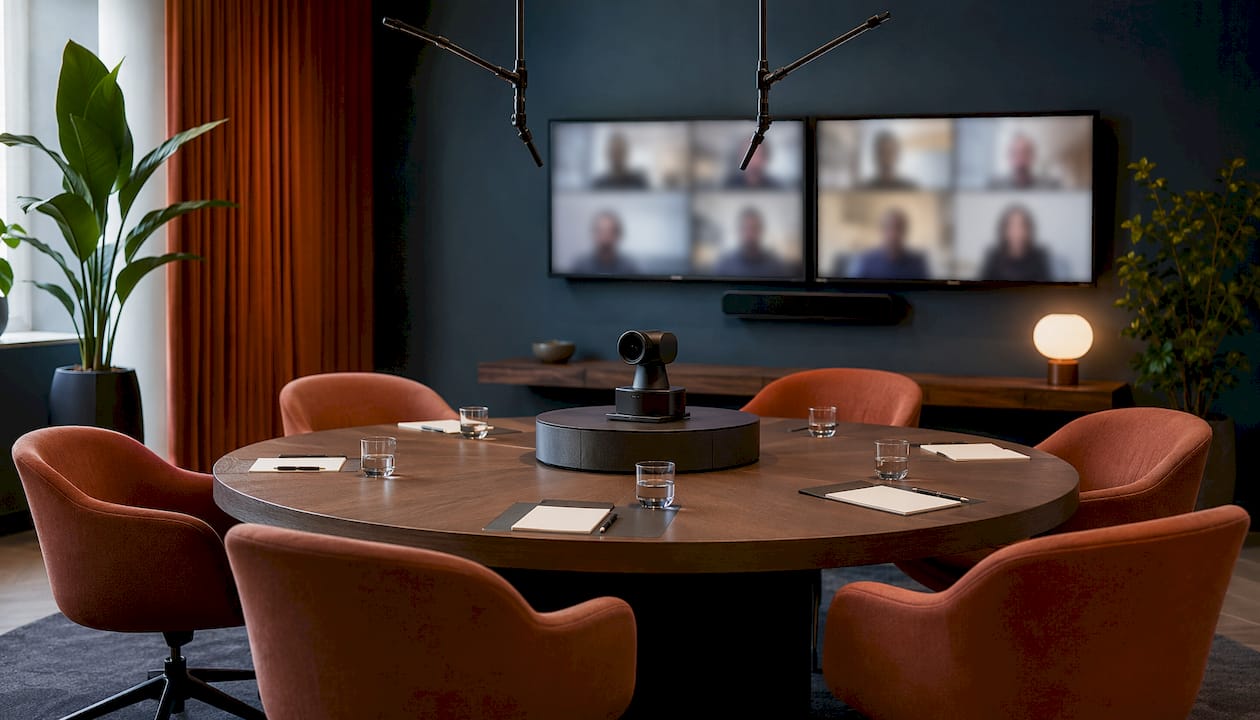
Camera strategy: seat participants in a tight arc rather than a long boardroom line. A single quality camera handles a tight arc well; a long table with eight people needs either a second camera or individual laptop joins. For hybrid working sessions with high-stakes clients, two camera angles — one wide for room context, one tight for the active speaker — read as professional and intentional.
Audio parity: boundary or ceiling mics cover a full table without cable clutter. USB table mics work well for groups up to six. For larger rooms, test pickup from the seat farthest from the mic before anyone joins remotely. A voice that sounds like it’s coming from a parking garage is not a luxury experience.
Display parity: dual screens or a large monitor showing remote speakers at near life-size changes the dynamic entirely. Pin the active speaker on one screen and the shared canvas on the other. Remote participants stop feeling like a Zoom thumbnail in the corner.
Connectivity: confirm the Ethernet port location and the guest Wi-Fi SSID before the meeting. Power strips and adapters should be on the table, not hunted down mid-session.
Hospitality touches: control the lighting so faces are front-lit, not backlit by a window. A small sign outside the room asking passersby to keep noise down costs nothing and prevents the hallway-conversation bleed that makes remote attendees feel like they’re eavesdropping on a party they weren’t invited to.
How do you keep remote participants genuinely engaged?
Passive remote attendance is just expensive loneliness. These tactics convert spectators into contributors.
- Shared live canvas: a multi-cursor digital whiteboard creates equitable participation in a way static slides never will. Everyone adds, edits, and reacts in the same space simultaneously.
- Chat as equal input: assign the remote co-host to surface chat comments into the spoken conversation. Slack recommends a dedicated digital backchannel for operational signals — camera moves, volume issues, share requests — so remote attendees can flag needs without interrupting the main flow.
- Life-size remote speakers: when a remote participant speaks, bring their video to full screen on the room monitor. It’s a small move with an outsized effect on how in-room participants listen.
- Micro-roles for remote attendees: give a remote participant the timekeeper or summarizer role. It converts passive viewing into active contribution fast.
- Regular remote checks: build named check-ins into natural breaks. “Before we move on — Marcos, anything from your side?” takes five seconds and signals that remote voices matter.
Pro Tip: For event planners running hybrid sessions in premium venues, guest engagement techniques designed for live events—such as live polling, quick-fire Q&A rounds, and collaborative ranking exercises—translate surprisingly well to hybrid formats and keep energy from flatlining after the first 20 minutes.
When should you skip the hybrid format entirely?
Hybrid isn’t always the answer. Sometimes it’s the worst of both worlds dressed up as a compromise.
Avoid hybrid for: raw brainstorms (energy doesn’t travel well through a camera), retrospectives (psychological safety is harder to build across formats), and high-stakes binding decisions where body language and sidebar reads matter enormously.
Hybrid works well for: status check-ins with a clear agenda, decision reviews where all stakeholders need to be present but travel isn’t justified, and client briefings where some in-person presence is required but the full team is distributed.
Go async instead when: the meeting is status-only. Microsoft WorkLab is direct about this — replace status-only meetings with pre-recorded briefs, collaborative documents, or structured chat threads. It preserves deep-work time and often produces better-considered input.
Schedule fairness: rotate who attends in person for inconvenient time slots. If the same remote attendees always take the 7 AM call so the European office can meet at noon, resentment builds faster than any engagement tactic can fix it.
What does a strong hybrid meeting follow-up look like?
Send the written summary within one hour. Every minute past that, the sidebar conversations calcify into unofficial decisions that remote participants never hear about.
- Template: Decision / Owner / Due date / Sidebar context.
- Sidebar context field: this is the one most teams omit. The biggest source of remote-team resentment is informal decisions made after the formal meeting ends. Capturing them explicitly closes the information gap.
- Recordings and transcripts: store them in a shared location with a clear retention period. Two weeks is a reasonable minimum for working teams; longer for client-facing sessions.
- Three-things close: at the end of every meeting, the note-taker reads back three things — the key decision, the owner, and the due date — before anyone leaves the room or drops the call.
Pro Tip: Log the three-things close in the shared doc while the meeting is still live. Waiting until after the call means half the context evaporates before you type it.
Structured follow-up norms, combined with the role protocols above, are what drive that 30% reduction in follow-up coordination the Microsoft Work Trend Index documents.
How much time and money does a hybrid-ready setup actually cost?
Prep time and budget vary by room fidelity. Here’s a realistic breakdown.
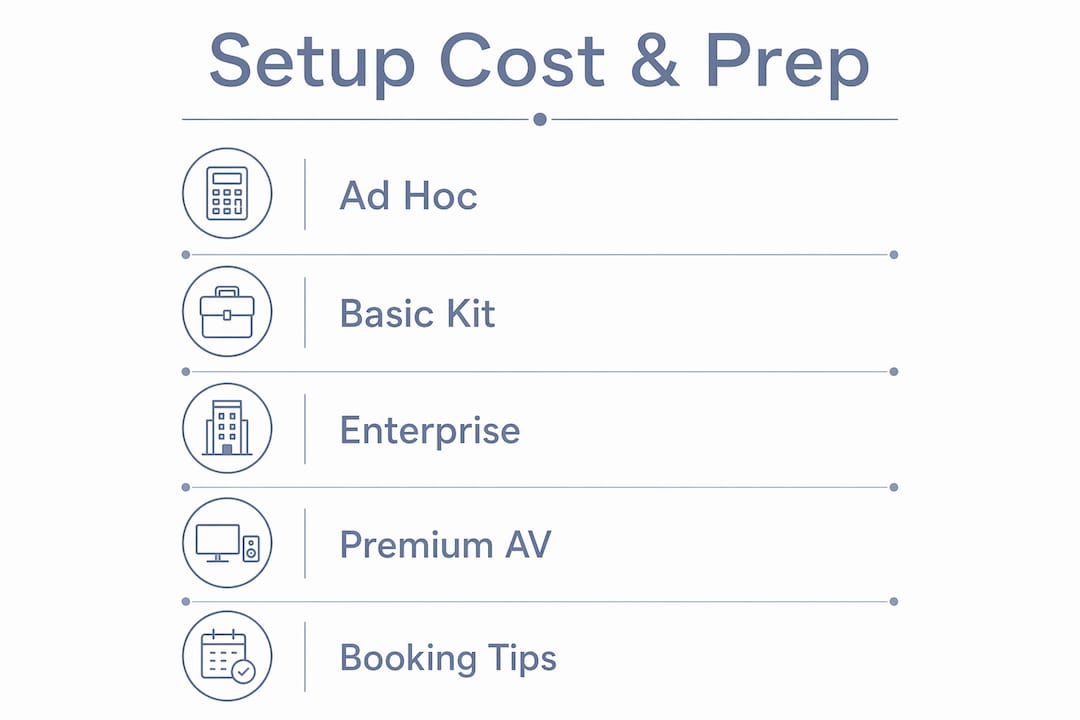
| Setup tier | Prep time | Equipment cost | What’s typically included |
|---|---|---|---|
| Ad hoc (bring your own kit) | 10–30 min | $200–$500 | USB webcam, table mic, HDMI cable, personal laptop |
| Premium coworking room | 10 min | $2,000–$5,000 | Quality camera, ceiling/boundary mic, dual screens, fast Wi-Fi |
| Enterprise-ready room | 30–90 min rehearsal | $2,000–$5,000+ | Multi-camera, AV controller, dedicated tech support |
Budget ranges for room hardware parity run $200–$500 for a functional ad hoc kit and $2,000–$5,000 for an enterprise-grade room with cameras, ceiling mics, and dual screens. Premium coworking venues like Centro typically absorb the hardware cost in the room rental — what you’re paying for is not having to haul a duffel bag of dongles through airport security.
Book premium AV rooms at least 48 hours in advance to confirm on-site tech support availability. For complex multi-camera sessions, a 30–90 minute rehearsal earlier in the day is worth every minute.
Pro Tip: Ask the venue explicitly: “Does the room rental include a pinned meeting laptop, a quality mic, and a large monitor?” If the answer is vague, bring your own mic. A bad audio experience in a beautiful room is still a bad audio experience.
Sample timed hybrid meeting agenda templates
30-minute agenda
| Agenda item | Time | Owner | Method |
|---|---|---|---|
| Welcome + protocol statement | 2 min | Facilitator | Talk |
| Tech check (remote participants confirm audio/video) | — | Remote co-host | Talk / chat |
| — | — | All (remote first) | Talk + whiteboard |
| Agenda item 2 — decision capture | — | All | Talk + chat |
| Three-things close (decision / owner / due date) | — | Note-taker | Talk |
| Wrap + next steps | 5 min | Facilitator | Talk |
60-minute agenda
| Agenda item | Time | Owner | Method |
|---|---|---|---|
| Welcome + protocol statement | — | Facilitator | Talk |
| Tech check | — | Remote co-host | Talk / chat |
| Context brief (pre-read assumed) | 5 min | Presenter | Talk |
| — | — | All | Whiteboard |
| Agenda item 2 — remote-first discussion | — | All (remote first) | Talk + chat |
| Breakout / parallel task (mixed remote + in-room) | 10 min | All | Whiteboard / chat |
| Decision capture + named owners | — | Facilitator + note-taker | Talk |
| Three-things close | — | Note-taker | Talk |
| Wrap | — | Facilitator | Talk |
Insert named remote check-ins at every natural transition — between agenda items, before breakouts, and before the close. They take seconds and prevent the “I didn’t want to interrupt” silence that buries remote input.
Key Takeaways
Structured hybrid meeting norms — remote-first speaking, named roles, tech parity, and a one-hour written follow-up — consistently reduce rework and keep every participant, remote or in-room, genuinely in the conversation.
| Point | Details |
|---|---|
| Remote-first speaking order | Call on remote participants before in-room voices to counter proximity bias on every agenda item. |
| Four named roles | Assign facilitator, remote co-host, timekeeper, and note-taker before the invite goes out. |
| 10-minute environment check | Test camera framing, mic pickup from the farthest seat, and display mirroring before guests arrive. |
| Follow-up within one hour | Capture decisions, owners, due dates, and sidebar context — the field most teams skip. |
| Centro for turnkey AV parity | Centro’s premium meeting rooms in Marbella include the hardware, hospitality, and on-site support that make hybrid setups work without the kit-hauling. |
The part most hybrid guides get wrong
Here’s a take you won’t find in the average checklist article: most hybrid meeting problems are hospitality problems, not technology problems.
Teams spend thousands on cameras and ceiling mics, then seat the in-room group with their backs to the window so every remote participant is squinting at silhouettes. Or they book a beautiful room and forget to put a “meeting in progress” sign on the door, so the hallway noise from someone’s very enthusiastic phone call bleeds into the call for 40 minutes.
The technology is mostly solved. A decent USB mic and a laptop camera are enough to run an equitable hybrid meeting if the facilitation is intentional. What actually breaks hybrid meetings is the ambient environment — light, noise, room temperature, the chair that squeaks every time someone shifts — and the social dynamics that nobody wants to name out loud.
Proximity bias is real, and it’s not malicious. In-room participants naturally turn to each other, build on each other’s energy, and make micro-decisions in the hallway afterward. Remote participants get the polished version of the conversation, not the messy, generative part where the actual thinking happens. The fix isn’t better cameras. It’s a facilitator who actively redistributes airtime and a follow-up protocol that captures what happened after the call ended.
Luxury meeting rooms help because they remove the ambient friction — the bad lighting, the echo, the hunt for a power outlet. But the room is just the container. The meeting lives or dies on the facilitation.
Centro’s hybrid-ready meeting rooms in Marbella
Centro House is the alternative to cobbling together a hybrid setup from a bag of dongles and a prayer. The meeting rooms in Marbella come with AV parity built in: quality cameras, premium microphones, large displays, and fast connectivity — so your 10-minute environment check is actually 10 minutes, not 45.
On-site hospitality support means someone is available if the tech decides to have a personality. Flexible hourly rentals mean you’re not locked into a full-day booking for a 90-minute session. And if your team is traveling in from elsewhere, executive accommodation is on-site for overnight stays — no Uber to a hotel at midnight after a long workshop day. Centro has been recognized as Best Office in Spain by the European Property Awards, and 68% of members report better concentration after working here. Check availability and pricing and book the room your hybrid meeting actually deserves.
Sources and further reading
The research and frameworks behind this guide come from the following authoritative sources. Worth bookmarking if you’re building hybrid meeting standards for your team.
- Microsoft WorkLab: How to Get Hybrid Meetings Right — Microsoft’s practitioner guide on meeting necessity, async alternatives, and structured norms.
- RemoteTeamer: Hybrid Meeting Best Practices — Source for the 30% follow-up reduction finding and hardware budget ranges.
- QuestWorks: Hybrid Meeting Best Practices for Remote Inclusion — Gartner proximity bias research and sidebar context guidance.
- WinningPresentations: Hybrid Meeting Facilitation — Facilitator Mary Beth Hazeldine’s 10-minute environment design framework.
- Slack: Hybrid Meetings Guide — Digital backchannel and chat-as-equal-input recommendations.
- Coommit: Hybrid Meeting Facilitation — Shared canvas and multi-cursor whiteboard research.
- University of Michigan ITS: Guidance on Hybrid Meetings — Individual laptop join workaround for rooms without full camera coverage.
- Centro House: Hybrid Working — Venue-specific hybrid working benefits and booking guidance.
- Centro House: Coworking in Marbella — Meeting room rental options and availability.